Verification (KYC)
Identity verification (KYC) in MeerPartners: why it's needed, what statuses exist, which documents to upload (passport, national ID, driver's license) and what to do if rejected.
KYC (Know Your Customer) is confirmation of your identity. It's a one-time step that unlocks withdrawing your earned money. You can complete it in your profile, in the "Verification (KYC)" block.
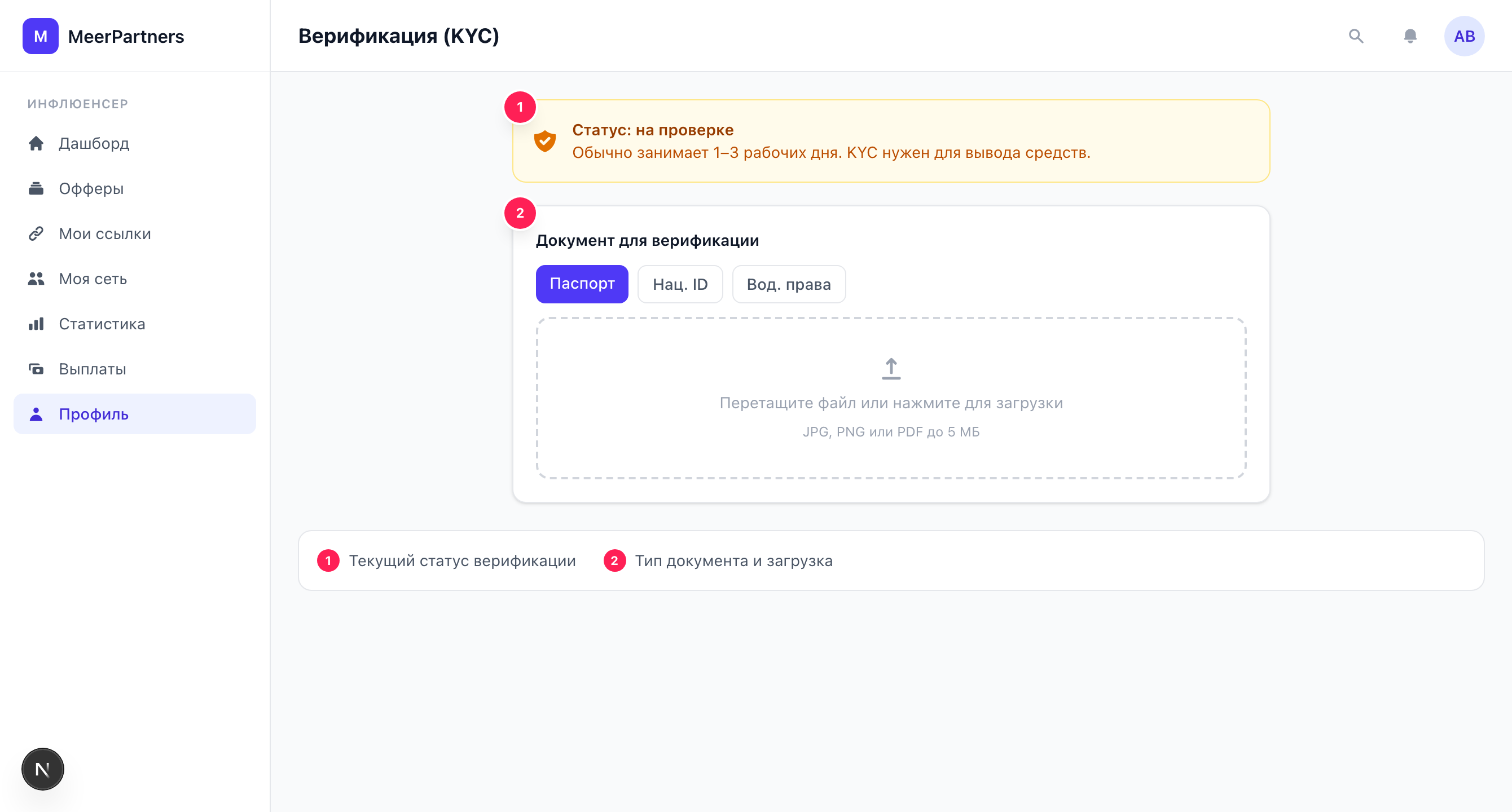
Why KYC is needed
Without a confirmed identity you can't request a payout: the "Request withdrawal" button in the Payouts section stays inactive, and attempting a withdrawal produces the error "Complete KYC to withdraw" (KYC_REQUIRED). You can pick up offers, create links and accumulate commission without KYC — verification is required specifically for withdrawing funds.
Complete it in advance
Don't wait until a large balance accumulates. Complete KYC right after registration — then your first withdrawal won't be delayed by a document check.
Verification statuses
| Status | What it means |
|---|---|
| Not completed | Documents haven't been uploaded yet. You can submit for review. |
| Under review | Documents are uploaded and being reviewed. Usually 1–3 business days. |
| Verified | Identity confirmed, withdrawing funds is available. |
| Rejected | Review not passed. You need to upload documents again. |
In the KYC block the current status is shown by a badge, and below it an explanatory hint: for "Under review" — "Your documents are under review. Usually 1–3 business days", for "Verified" — "Identity confirmed. Withdrawing funds is available", for "Rejected" — "KYC rejected. Upload documents again".
Document types
When submitting, you select a document type:
- Passport
- National ID (national identity card)
- Driver's license
The document file is a photo or scan in JPG, PNG or PDF format, up to 5 MB.
How to complete verification
Open your profile
Go to Profile, the "Verification (KYC)" block.
Choose a document type
Passport, national ID or driver's license.
Upload the file
Drag and drop or select a photo/scan (JPG, PNG, PDF, up to 5 MB). The document must be legible: data and photo sharp, without cropped edges or glare.
Submit for review
Click "Submit for review". A "Documents submitted for review" notification appears, and the status changes to "Under review".
While documents are under review
You can't upload a new document during the review — the upload form is hidden, and resubmitting will return the error "KYC already submitted" (KYC_ALREADY_SUBMITTED). Wait for the result.
Timeframes
The review usually takes 1–3 business days. Based on its result, the status will become "Verified" or "Rejected".
What to do if rejected
If the status is "Rejected", the upload form is available again — you can resubmit documents. Before resubmitting:
- make sure the document is valid and fully legible;
- photograph it without glare and cropped edges, in good lighting;
- check that the selected document type matches the uploaded file.
If the repeat review fails again — contact support.