Quickstart: business
How to launch an affiliate program in MeerPartners: create a business account, an offer, top up escrow, issue an API key and set up a postback.
This guide takes you from registering a business to your first test postback. After it, your affiliate program is ready to accept traffic and pay influencers for results.
What you need beforehand
A MeerID account to sign in and basic business details: the company name, the desired URL identifier (slug) and the primary currency. For the postback step, you'll need access to the server side of your website or app.
Seven steps to a working program
Sign in via MeerID
On the sign-in page, click "Sign in with MeerID". MeerPartners has no password — sign-in is only through the ecosystem's single account. Learn more: Sign-up and sign-in via MeerID.
Create a business account
After signing in, choose the "I'm a business" role and fill out the form:
- company_name — the company name (at least 2 characters).
- tenant_slug — the URL identifier of the space: lowercase Latin letters, digits and hyphen only (
^[a-z0-9-]+$), unique across the platform. If it's taken, you'll see the errorTENANT_SLUG_TAKEN. - default_currency — the primary currency, exactly 3 letters (for example,
RUB).
More on the fields and constraints: Choosing a role.
Create an offer
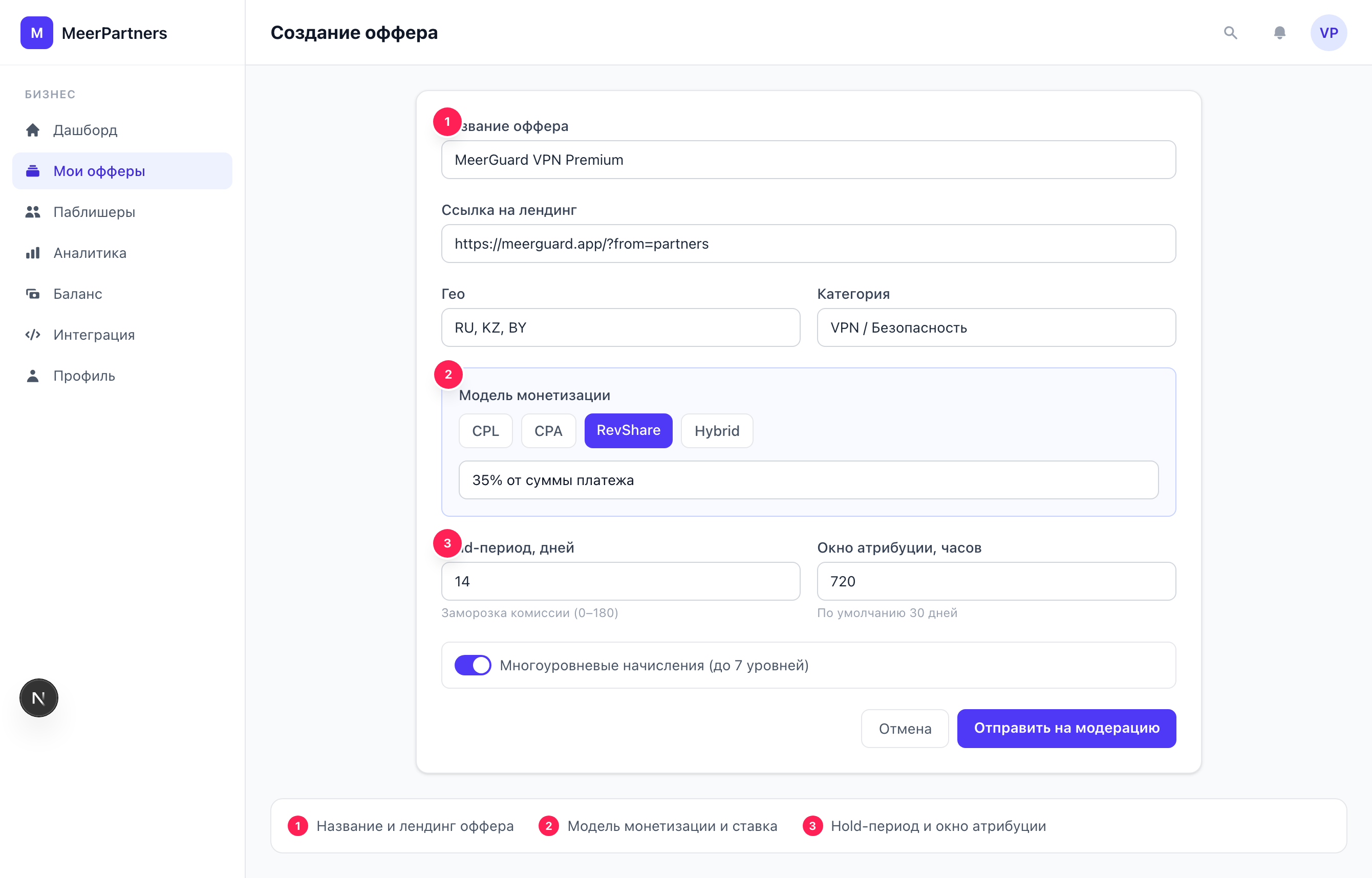
In the "My offers" section, click to create an offer (/m/offers/new). Set the payment model (CPL/CPA/RevShare/Hybrid), the rate, geo and hold period. Learn more: Creating offers.
Wait for moderation
A new offer goes through platform moderation. Once approved, it becomes active and appears in the catalog for influencers.
Top up the escrow balance
Go to "Balance" (/m/balance) and make a deposit. Funds are reserved against accruals — without a sufficient balance, an offer won't be able to pay commissions (there's a minimum top-up amount, otherwise the error DEPOSIT_BELOW_MIN). How escrow works: Balance and escrow.
Issue an API key and set up a postback
In the "Integration" section (/m/integration), issue an API key with the postback scope and set up sending conversions to POST /api/v1/postback. Requests are signed with HMAC. Full instructions: Postback setup.
Send a test postback
Make a test conversion: send a postback with a unique external_order_id and event_type. Check that the conversion appeared in analytics (/m/analytics). At this point the integration is complete. Learn more: Testing the postback.
Important details
The slug can't be changed on the fly
tenant_slug is part of identifying your space — choose it deliberately. Only lowercase Latin letters, digits and hyphen are allowed; uniqueness is checked at creation time.
Postback is money
A postback triggers commission accruals. Sign every request with HMAC, use a unique external_order_id (it's also the idempotency key — it protects against double accrual) and respect the ±300-second time window against replay attacks. Details — Postback setup.