Quickstart: influencer
How to start earning on MeerPartners in 5 minutes: sign in via MeerID, activate the affiliate workspace, get a tracking link and withdraw your commission.
This guide takes you from your first sign-in to your first payout. The whole path is about five minutes to get started, plus the time to place the link in front of your audience. No technical knowledge required.
What you need beforehand
Only a MeerID account — the ecosystem's single sign-in. You don't need to go through a separate registration, and you won't need a password. If you don't have an account yet, you can create one right on the sign-in screen via any available provider (Google, Yandex, VK, etc.).
Seven steps to your first commission
Sign in via MeerID
Open the sign-in page and click "Sign in with MeerID". The platform stores no passwords — you authenticate through the ecosystem's single account. More on sign-in and providers: Sign-up and sign-in via MeerID.
Activate the 'influencer' role
After your first sign-in, pick a role and click "Become a partner" — the affiliate workspace activates in one click, with no forms to fill out. How it works: Choosing a role.
Open the offer catalog
Go to the "Offer catalog" section (/i/offers). It collects every available offer with its payment model (CPL/CPA/RevShare/Hybrid), rate, geo and hold period. Pick an offer that fits your audience. Learn more: Offer catalog.
Grab a tracking link
On the offer page, create a personal tracking link of the form /r/{code}. If you like, add a sub_id tag to tell apart placements and campaigns in analytics. All your links are in the "My links" section (/i/links).
Place the link in front of your audience
Publish the tracking link where your audience is: a post, a story, your profile bio, a newsletter, a video. The platform records every click on it and binds it to you by the last-click rule.
Track clicks and conversions
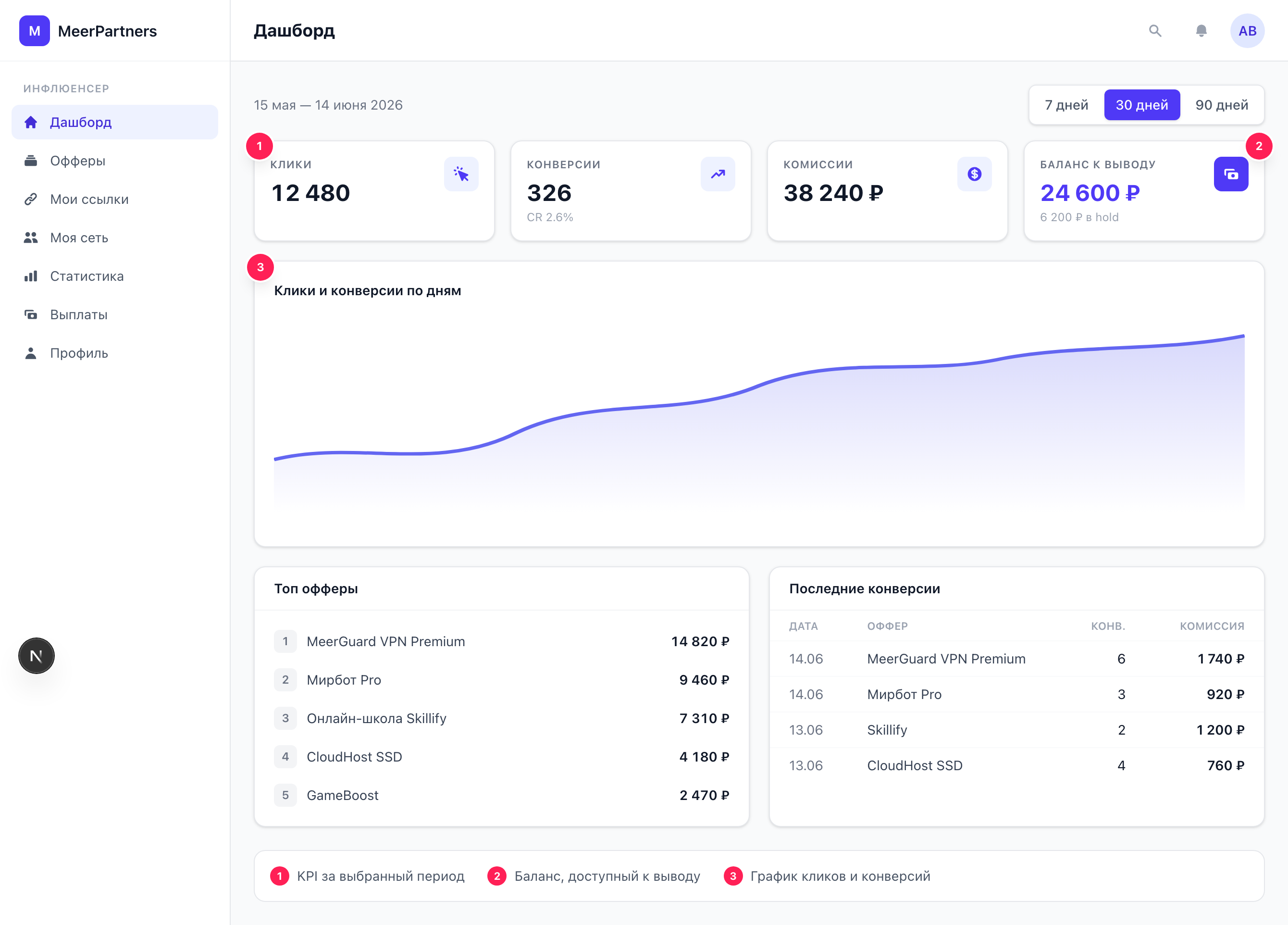
Visit the Dashboard (/i) and Statistics (/i/stats): they show clicks, conversions, EPC and CR in real time. Confirmed conversions turn into a commission that, until the hold period ends, is shown as "In hold". Learn more: Statistics.
Pass KYC and withdraw your commission
Frequent beginner questions
Commission isn't withdrawn right away
After a conversion, the commission goes into hold — a freeze for the period set in the offer. This is protection against refunds and fraud. Withdrawal is available only after the hold ends. If the amount is below the minimum for the method, you'll see the error "Amount below the minimum".
Use sub_id from day one
sub_id tags cost nothing but let you pinpoint exactly which placement and which content bring in money. Without them, all your statistics blur into a single line.