Managing publishers
The Publishers section in the MeerPartners business cabinet: the list of influencers, their KYC and stats, granting and revoking access to private offers.
The Publishers section (/m/affiliates) shows the influencers working with your offers and lets you manage their access to private offers. A publisher appears in the list when they first grab a link to any of your offers.
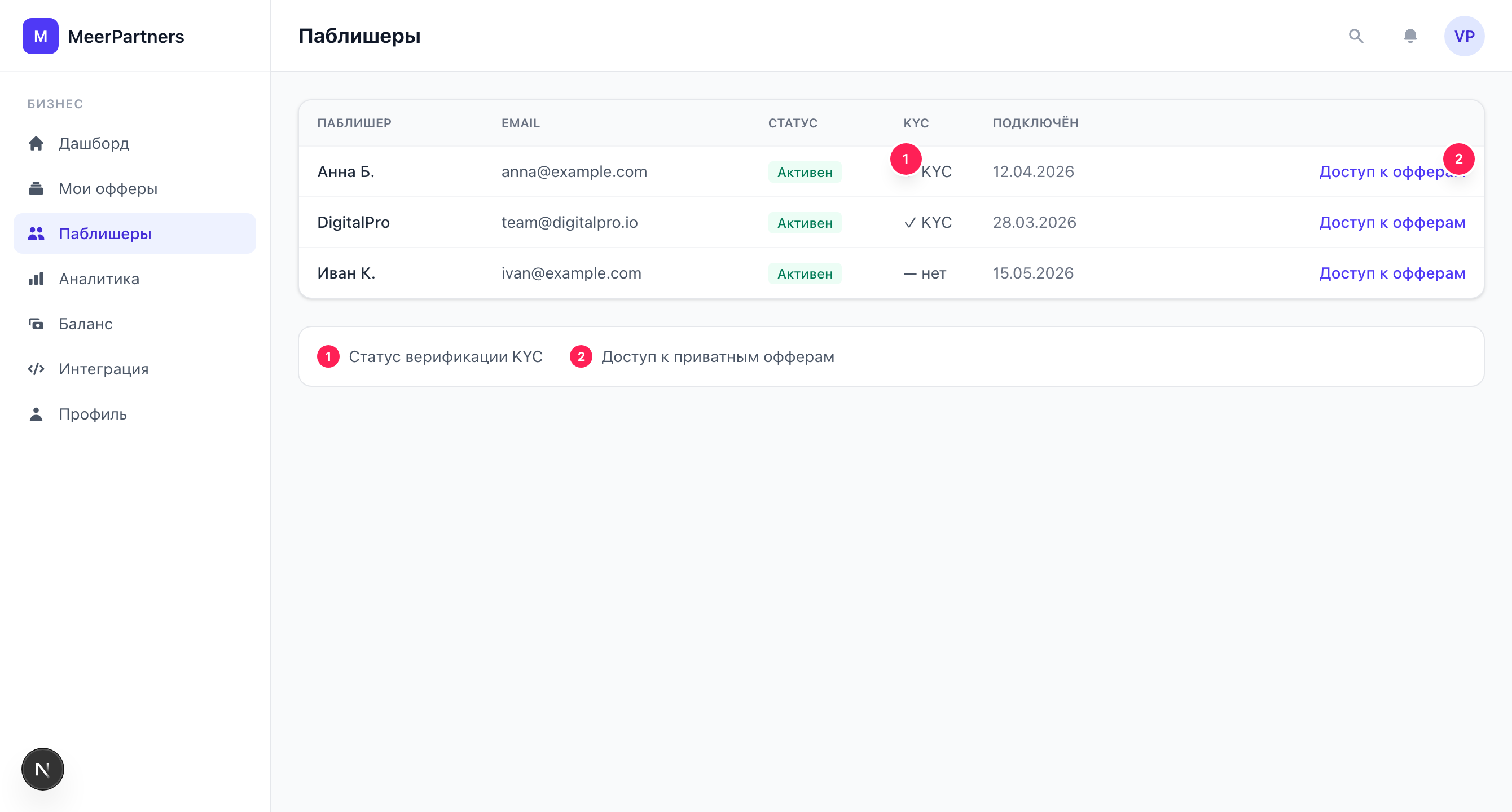
Publisher list
The table contains the columns:
| Column | What it shows |
|---|---|
| Name | The influencer's display name. |
| The publisher's contact email. | |
| Status | The publisher's activity with you. |
| KYC | Identity verification status: not passed / under review / verified / rejected. |
| Joined | When the publisher first grabbed a link to your offer. |
| Actions | Buttons for granting and revoking access to private offers. |
If there are no publishers yet, a hint is shown: "Publishers will appear when the first influencer grabs a link to your offer".
About KYC
KYC is the influencer's identity verification on the platform's side, required for them to withdraw funds. You see the status but don't manage it: the publisher passes the verification themselves. A "verified" status is a signal that the partner has passed the check and can receive payouts. Learn more — KYC and limits.
Private offers: access by invitation
Public offers are available to all publishers from the catalog — there is no access to manage. But private offers are hidden, and only an influencer you have granted access to manually can work with them.
Grant access
Find the publisher
In the publisher table, click "Grant access" in the row of the influencer you need.
Choose a private offer
In the "Offer access" dialog, choose an active private offer from the list.
Confirm
Click "Grant access". The notification "Access granted" appears — the publisher now sees the offer and can grab a link to it.
An active private offer is required
You can grant access only to an active private offer. If there are none, the dialog will report: "No active private offers to grant access to". First create a private offer and run it through moderation.
Revoke access
To close a publisher's access to a private offer, click "Revoke" next to the corresponding access. The notification "Access revoked" appears. After revocation, the influencer can no longer create new links to this offer.
What happens to links already grabbed
Revoking access closes the creation of new links to the private offer. Conversions on already accumulated traffic are processed by the general attribution and hold rules. Revoke access deliberately — it affects active partners.
How to work with private offers
A typical closed-program scenario:
- Create an offer with Private (by invitation) visibility — see Creating an offer.
- Run the offer through moderation to the Active status.
- On the Publishers page, grant access to hand-picked influencers.
- Partners grab links and drive traffic; you control the circle of participants by granting/revoking access.
Public vs private — in short
A public offer is for mass traffic acquisition, no access needed. A private one is for exclusive terms and working with trusted partners, where you manually decide who participates.