Integration and API keys
The Integration section in the MeerPartners business cabinet: API keys with postback, SSO and read-only scopes, integration snippets and a test postback for verification.
The Integration section (/m/integration) connects your system to the platform: here you issue API keys, take ready-made snippets and send a test postback to make sure conversions arrive. Only the Owner role (merchant_owner) can manage keys. This is an overview page for business — for technical details, see the Integration and API section.
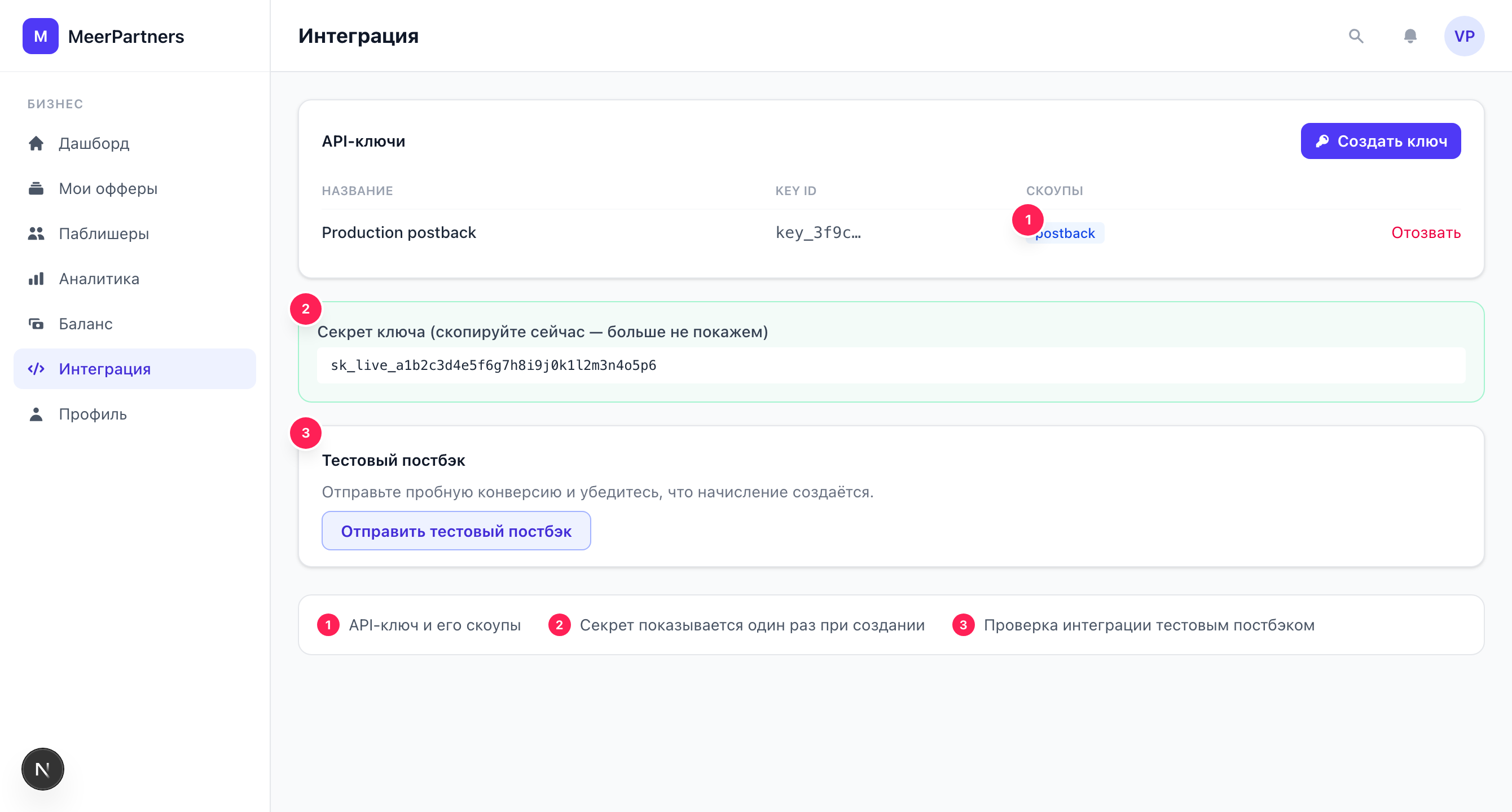
Why integration is needed
The platform counts clicks on its own (via tracking links), but it learns about conversions on your side (sale, sign-up, deposit) only from your server — through a postback (server-to-server, S2S). For a postback to be accepted, it must be signed with the API key secret.
Minimal launch scenario
- Issue an API key with the Postback scope. 2. Set up postback sending on your server when a conversion happens. 3. Verify everything with a test postback right on this page. The technical breakdown — Postback (S2S conversions).
API keys
The key list contains the columns: Name, Permissions (scopes), Status (Active / Revoked), Tail (last 4 characters of the secret), Last used, Created.
Scopes (key permissions)
When creating a key, you choose permissions — what the key is allowed to do:
| Scope | Purpose |
|---|---|
| Postback (S2S conversions) | Send conversions to the platform. The main scope for integration. |
| SSO (token-exchange) | Token exchange for seamless user sign-in (SSO). |
| Read-only (analytics) | Read-only access to analytics data via the API. |
You must choose at least one permission, otherwise "Choose at least one permission" appears.
Creating a key
Open the form
Click "Create API key".
Set a name and permissions
Enter a clear name (for example, "My postback key") and tick the scopes you need.
Save the secret — it's shown once
After creation, the platform shows the key secret and its Key ID. Copy the secret with the "Copy secret" button and save it in a safe place.
The secret is shown ONCE
The key secret is shown once — right after creation. It cannot be recovered: if you lose it, revoke the key and issue a new one. Only the "tail" (last 4 characters) is stored in the list for identification. Never publish the secret in client-side code, a repository or logs.
Revoking a key
The "Revoke" button deactivates the key — it stops working immediately (the status becomes "Revoked", "Key revoked" appears). Revoke a key if the secret is compromised or when the integration is no longer needed. More on keys and signing — API keys and signing.
Integration snippets
The "Integration snippets" block contains ready-made examples of sending a postback in cURL, Node.js and Python — they can be copied and adapted to your server. Below — a schematic example (for exact signature headers and fields, see Postback):
curl -X POST https://<host>/api/v1/postback \
  -H "X-Api-Key-Id: <key_id>" \
  -H "X-Tenant-Id: <tenant_id>" \
  -H "X-Timestamp: <epoch>" \
  -H "X-Signature: <hmac_sha256>" \
  -H "Content-Type: application/json" \
  -d '{"external_order_id":"ORDER-123","event_type":"sale","ref":"<click_id>","amount":"1990.00","currency":"RUB","status":"approved"}'
Test postback
The "Test postback" form sends a trial conversion through the real flow — to make sure the signature and integration are correct, without waiting for live traffic.
external_order_idstringrequiredThe test order identifier — the conversion idempotency key.
AmountnumberoptionalThe amount of the test conversion (1.00 by default).
The result is shown in the "Result" block:
- Success — the postback is accepted, the conversion is counted.
- Signature invalid. Check the API key secret. — a signature error: verify the secret and algorithm.
- A conversion with this order_id is already counted (idempotent) — a repeat of the same
external_order_iddoes not create a duplicate (this is normal protection against double sending).
Idempotency protects against duplicates
The platform deduplicates conversions by external_order_id: resending the same order won't create a second conversion. Use a stable unique order identifier on your side — and don't worry about repeats on retries.
What's next
The full technical breakdown: fields, events, signature, idempotency and anti-replay.
How the request HMAC signature is formed and which headers are needed.
The click_id/offer_id macros and how clicks are linked to conversions.