Business cabinet overview
MeerPartners business cabinet: create offers, top up your escrow balance, connect postback and pay only for confirmed conversions.
The business cabinet (/m) is the control center for your affiliate program. Here you create offers, hold an escrow balance, onboard influencers and integration, while the platform counts clicks, conversions and rewards on its own. You pay for results only — confirmed conversions that arrive via postback.
How it all works: the money cycle
Launching an affiliate program takes four sequential steps. After that, everything runs automatically.
Create an offer
Describe the product, set geo and landing, pick a monetization model (CPL / CPA / RevShare / Hybrid) and a rate. The offer goes to moderation.
Top up your escrow balance
Make a deposit on the Balance page. Rewards to publishers are reserved and charged from it. Without a positive balance, accruals are paused.
Connect postback
Create an API key and set up a server-side postback (S2S) so the platform learns about conversions on your side.
Receive conversions
Influencers grab tracking links to your offer, drive traffic, and you see clicks, conversions and spend in Analytics.
Escrow protects both sides
Money is reserved on your balance the moment a commission is accrued. The publisher gets a payout guarantee, and you pay only for confirmed conversions after the hold period. Learn more — Balance and escrow.
Cabinet sections
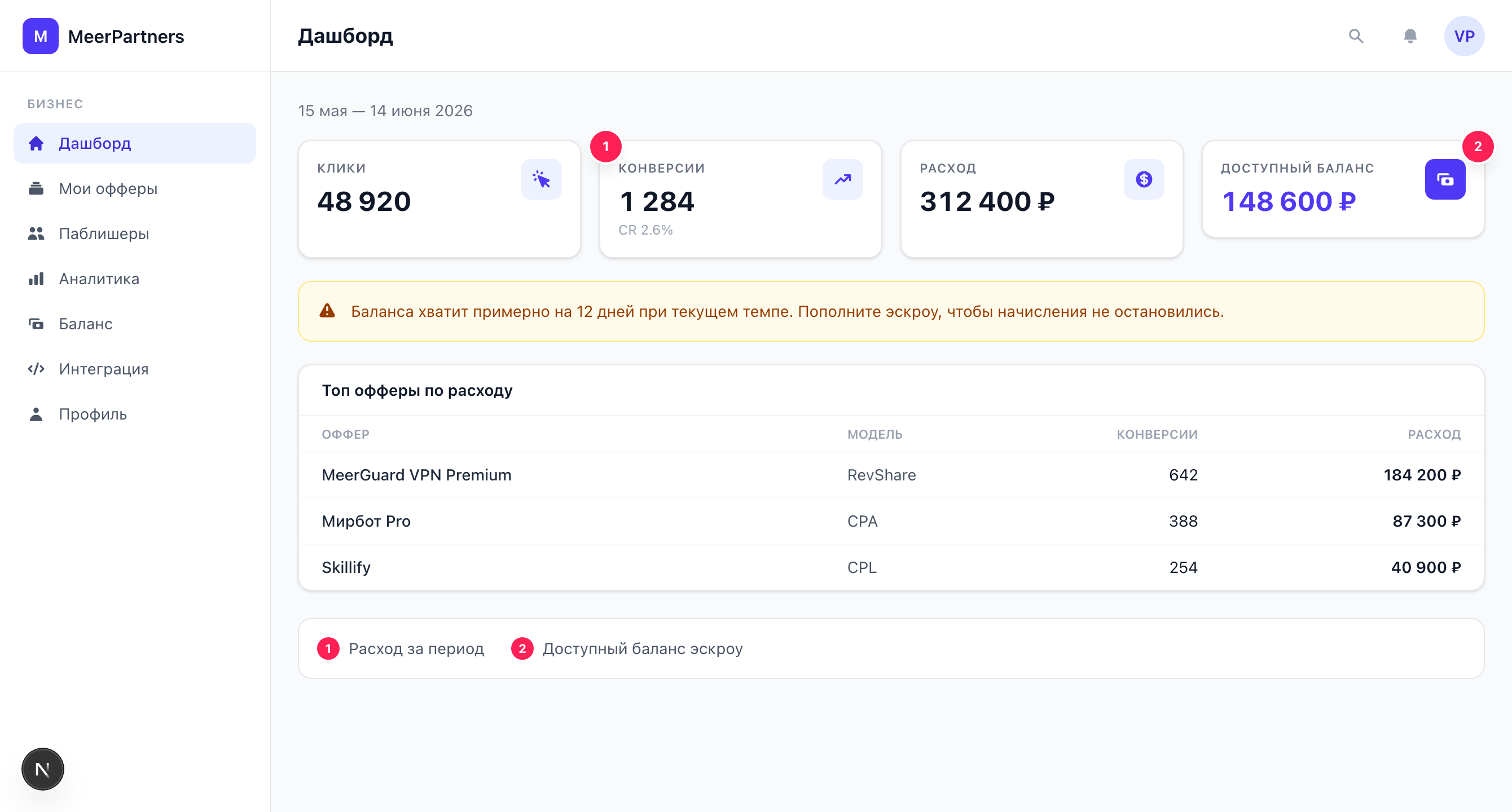
Key metrics for the period: clicks, conversions, spend and available balance. Low-balance alert and top offers.
The offer form: geo, landing, monetization model, rates, hold, attribution window and multi-level accruals.
Offer statuses, what the platform checks, rejection reason and how to resubmit for review.
The list of influencers working with your offers. Granting and revoking access to private offers.
7/30/90-day period, KPIs with CR and EPC, per-offer breakdown and spend charts.
The escrow model, available/reserved/total, deposit top-up and a ledger of balance movements.
API keys with postback/SSO/read-only scopes, snippets and a test postback to verify the integration.
Company details, contact email and website, team members and their roles (Owner / Member).
Where to start
If you have just registered a business — go in order:
- Create your first offer: Creating an offer. While it is in moderation, publishers cannot see it.
- Top up your escrow balance so accruals don't stall: Balance and top-up.
- Connect postback and issue an API key: Integration.
- Wait for offer approval and track results on the Dashboard.
Who can do what
Full access (creating offers, API keys, deposit, profile) belongs only to the Owner role (merchant_owner). Team members (merchant_member) can see data but not change it. Learn more — Profile and team.