Profile and settings
The influencer profile in MeerPartners: contact details, display name, interface language, payout currency, referral code and the link to KYC verification.
The profile (/i/profile) is the personal settings of the dashboard: contact details, display name, language, your referral code and KYC verification. This is the page that's convenient to start with after registration.
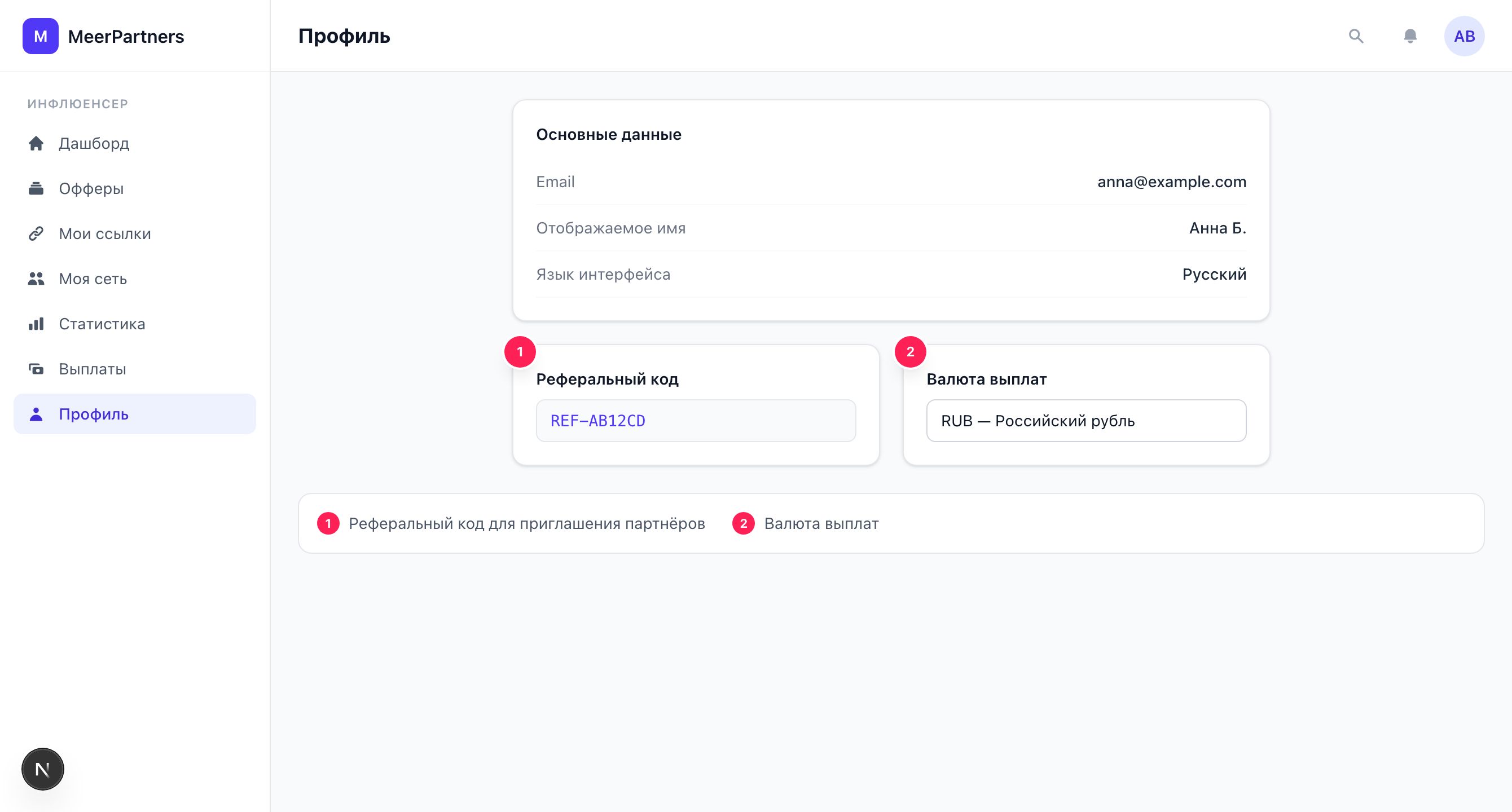
Contact details
The "Contact details" block contains:
| Field | Description |
|---|---|
| Your account's address. Shown read-only — it's changed on the MeerID side, not in the dashboard. | |
| Display name | How you appear in the system. Can be changed and saved. |
| Language | The interface language: Russian or English. |
After making changes, click "Save" — a "Profile updated" notification appears.
Email is changed in MeerID
Signing in to MeerPartners is via a single MeerID account, so the email is tied to it and isn't edited in the dashboard. To change your email, change it in MeerID — more details in the Registration and sign-in section.
Interface language
The "Language" switcher changes the dashboard language: Russian or English. The choice is saved in the profile with the "Save" button and applies to your account.
Referral code
At the bottom of the page is the "Referral code" block with your personal code. This is the same code that underlies the referral link /auth/login?ref={referral_code} in the My network section. It's convenient to copy the code from here to invite a partner into your network.
Where to use the referral code
For the full invitation link and a network summary, see the My network section — that's where the "Copy" button for the ready referral link and per-level earnings statistics are.
Payout currency
A payout currency is tied to the profile — the balance available for withdrawal is shown in it, and withdrawals are requested in it. If your accruals come in several currencies, the balance and withdrawal request are calculated separately for each currency (see Payouts and balance).
Verification (KYC)
The "Verification (KYC)" block in the profile is where you confirm your identity to withdraw funds. Here the current status (Not completed / Under review / Verified / Rejected) and the document upload form are shown. The full guide is on the Verification (KYC) page.
KYC is mandatory for withdrawal
Without the "Verified" status, withdrawing funds is unavailable. We recommend completing KYC right away, without waiting for the balance to accumulate.